
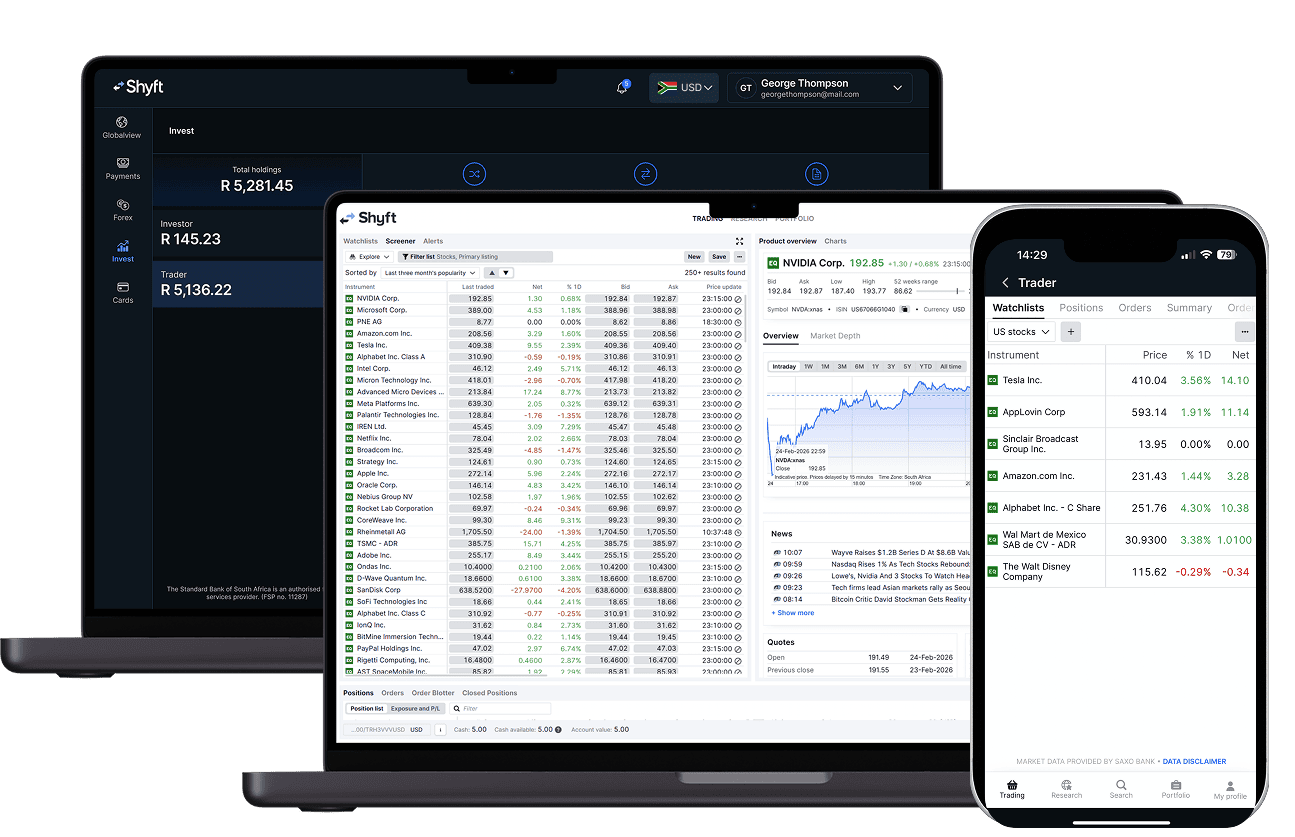
What is the difference in experience?
| PLATFORM | ONLINE SHARE TRADING | TRADER ON SHYFT |
| ONBOARDING | Register for Online Share Trading accounts on the Online Share Trading website.
| If you’re a Standard Bank customer, you can access Shyft directly from the Standard Bank mobile banking app by adding it from the Shyft Add-on store to your dashboard. If you’re not a Standard Bank customer, you can:
Once you’ve signed up and logged in, you can use Shyft in a way that suits you:
Shyft is channel agnostic providing a consistent and secure experience on mobile, web and tablet. |
SIGN IN | Using the Online Share Trading mobile app or web portal Sign in by entering your username and password.
| Using the Shyft mobile app
or
Using the Shyft web portal (Shyft Online) If you prefer to manage your portfolio on a computer:
|
OPENING TRADER | Using the Standard Bank mobile banking app Sign-in to the Standard Bank mobile banking app, select the Shyft Add-on from your dashboard. Using the Shyft app Log in to Shyft, Select “Invest.” Select appropriate currency flag from the top right hand corner. Select Trader Account tile, and click “Trade Now”. Alternatively Log into Shyft, Select View Portfolio on Trading account from Global View screen and click “Trade Now”. The Trading UI will open. Once you are in Trader, you can easily switch between your onshore and offshore profiles. | |
OPENING A TRADER ACCOUNT |
| Log in to Shyft, select the 'Invest' button in the bottom navigation. Select the currency that you would like to open an account in from the top right currency toggle. Select 'Get started' > 'Create account'. Accounts are accessible within minutes of being created. |
| ASSET CLASSES | ONLINE SHARE TRADING | TRADER ON SHYFT |
CASH | Cash is earned either via Johannesburg Stock Exchange Trustee (JSET) or Standard bank of South Africa Limited Money Market Rates dependent on your mandate selection. Clients with cash balances of over 50k are able to elect to convert their accounts to money market rates: However, for a Money Market Account, SBG Sec has a call account with The Standard Bank of South Africa Limited (“Standard Bank”) into which it places your funds, at generally better net rates. | Interest is earned at Standard Bank Money Markets rates only.
|
SHARES (EQUITIES) | All Johannesburg Stock Exchange (JSE) - Listed Shares. | Johannesburg Stock Exchange (JSE) and Global shares. |
JSE BEE SHARES | Access to restricted BEE Shares (e.g., MTN Zakhele Futhi, Sasol Khanyisa) for eligible investors. | Not currently offered, will be integrated as a product offering. Clients holding these positions will form part of a different migration phase. |
| ETFs, ETNs AND ETCs | All Johannesburg Stock Exchange (JSE) - listed Exchange-Traded Fund's (ETFs), Exchange-Traded Notes (ETNs) and Exchange-Traded Commodities (ETCs). | All Johannesburg Stock Exchange (JSE) - listed Exchange-Traded Fund's (ETFs), Exchange-Traded Notes (ETNs) and Exchange-Traded Commodities (ETCs). |
| ACTIVELY MANAGED CERTIFICATES (AMC) | Full access to the Johannesburg Stock Exchange (JSE), meaning you can trade virtually any AMC listed on the exchange. | Extensive access to Shares listed across global exchanges: 14 500 shares and Exchange-Traded Funds (ETFs) across all major exchanges. Including Johannesburg Stock Exchange (JSE) listed AMCs. |
| INDEX & CURRENCY FUTURES | Johannesburg Stock Exchange (JSE) Listed Index and Currency futures are available on Online Share Trading. | Not currently offered, will be integrated as a product offering. |
| CONTRACTS FOR DIFFERENCE (CFDs) | Provides access to a wide range of Contracts for Difference (CFDs) written over top Johannesburg Stock Exchange (JSE) listed companies and Exchange-Traded Funds (ETFs). | Access to a comprehensive suite of South African and international Contracts for Difference (CFDs) covering a wide range of local and international Shares and Exchange-Traded Funds (ETFs). |
| WARRANTS | Access to a comprehensive suite of warrants listed on the Johannesburg Stock Exchange (JSE). | Not currently offered, will be integrated as a product offering. |
| STRUCTURED PRODUCTS | Client can subscribe to Standard Bank issued Structured products. | Not currently offered, will be integrated as a product offering. |
| CASH MANAGEMENT | ONLINE SHARE TRADING | TRADER ON SHYFT |
FUNDING OF ACCOUNT | New funds are funded via an EFT to the SBG Securities Trust account using the account number as the payment reference. | Once your ZAR wallet is topped up either by Card or EFT (see below), thereafter you will be able to move funds instantly to your other relevant wallets in order to trade in the different exchanges across asset classes. The Trader account can be funded directly from the relevant wallet by selecting transfer funds from within the relevant Trading account overview screen. How to fund your ZAR wallet If you choose "Card”. Enter the amount you want to top up with, and tap “Continue”, then enter your card details and authenticate with your bank. Funds will reflect immediately, regardless of your banking provider. If you choose "Manual EFT”. Use the details provided to send funds from your bank account to your Shyft wallet. Ensure you use your unique Shyft reference number as the payment reference when making an EFT. |
WITHDRAWAL FROM ACCOUNT | Clients can request withdrawal from their Online Share Trading account into their nominated bank account, by selecting the withdrawal option available in the cash management section. The funds will reflect in their nominated bank account same day dependent on cutoff times. | You may request your withdrawal by selecting transfer funds from within the relevant trading account overview screen. You may only withdraw funds in your local currency, and withdrawals may only be processed to a local personal bank account in your own name. A withdrawal flat fee of R34 applies. |
TRANSFER BETWEEN ACCOUNTS | Funds can be transferred between trading accounts using the transfer functionality within the cash management section. | To transfer, withdraw the funds to your relevant wallet, convert into the currency and fund the appropriate account from the respective wallet. |
EARLY SETTLEMENTS | Possible to request in cash management section (after T+1) attracts a surcharge. | Not required as funds are available on trade confirmation. |
| TRADE \ INVEST | ONLINE SHARE TRADING | TRADER ON SHYFT |
PURCHASE OR SELL AN INSTRUMENT | Select an instrument from the instruments list (Instrument dropdown), your portfolio or watch list. Click trade. Populate the trade entry screen. Enter your password and click trade.
Within viewpoint open the trade ticket by selecting the instrument, clicking on the BUY or SELL option within the instrument menu or clicking on the bid or ask price associated with the instrument. |
|
AVAILABILITY OF FUNDS AFTER SALE OF ASSETS | Proceeds from a sale of shares will be available for trading once the order has been confirmed, funds will be available for withdrawal on settlement (T+3). | Funds become available for trading or withdrawal on confirmation of the order. |
| ORDER TYPES | Simple orders
Advanced orders
| Simple orders
Advanced orders
|
PROTECT MY POSITION WITH A STOP LOSS | Stop losses can be created on a position by using the stop loss feature in the tools section of a position. A fixed price or trailing stop loss can be configured. A fixed number of shares or percentage of holding can be configured. | Setting a stop loss on Trader is done by adding a related order to a new trade ticket or by right clicking an existing position to add "Take Profit / Stop Loss". You can set the trigger at a specific price or a percentage, which automatically closes your position if the market moves against you. a Stop, Trailing Stop or Stop Limit order can be placed. |
SUBSCRIBE TO PRICE ALERTS | Price alerts can be configured from the create an alert interface accessed by clicking on the bell icon next to a security. Fixed or trailing alert can be selected, and SMS or EMAIL can be configured to receive the alert. | Price notifications are available but currently in the trading interface only. In app notifications will be incorporated in due course. |
| MARGIN ALERTS AND NOTIFICATIONS | Margin notifications are delivered through SMS and Email. | You will receive notification of Margin shortfall via 1. Trading platform pop-up notification, 2. In-app notification and 3. via email. Action Required: If you receive a margin warning, you must rectify the shortfall immediately or your positions may be closed out (liquidated) to cover the obligation. Please ensure you have enabled notifications on the Shyft app in order to receive alerts and notifications (in your relevant in-app security settings). |
| CORPORATE ACTIONS | Processed into your relevant Online Share Trading account. | Processed into your relevant Trader account. |
| CORPORATE ACTIONS: NOTIFICATIONS |
| In trading platform notification of upcoming CA event applicable to portfolio. Corporate and earnings / dividend calendar. |
| CORPORATE ACTIONS: ELECT IN A VOLUNTARY CORPORATE ACTION | Clients select a default when onboarding and can elect through CA add-on. | Navigate to 'Active Corporate Actions' and click on Elect in the pop-up window, you will find the tabs election and details. At the bottom, you can see your election options. You elect by entering the quantity of "eligible holdings" you wish to use under each option and clicking apply election. After the reply to deadline, any unused holdings will automatically be placed under the default option. |
| MARKET AND COMPANY INFORMATION | ONLINE SHARE TRADING | TRADER ON SHYFT |
MARKET INFORMATION | ||
Market movers | Available. | Not currently available. |
| HISTORICAL PRICING | ||
Historical price history | Substantial price history. | 20 years price history available. |
Historical price history (additional metrics) | OHLC, volume traded, value, EY, DY , value, #deals, move. downloadable data points. | OHLC, Volume traded. Available as charts. |
INTRA-DAY PRICING | ||
Intra-day pricing (Delayed) | 15 min delayed price. | 15 min delayed price available, however Live Level 1 streaming is included. |
Intra-day pricing (Live - Streaming) | ZAR level 1 available for free through Viewpoint. | ZAR - Level 1 Streaming Free. Offshore - required subscription. |
Intra-day pricing (Live Snapshot) | Available charged against quotes balance. | Not necessary (Live Streaming). |
| Market depth (Level 2) | Available on subscription. | ZAR - subscription (R150 | R600). |
| Price and trade statistics | OHLC, Bid, Ask, % and Net Change, Volume, Average Volume, Last Traded, 52 week . High/Low. | OHLC, Bid, Ask, % and Net Change, Volume, Average Volume, Last Traded, 52 week . High/Low. |
| Last trades | Last 30 trades for the day. | Last trade. |
| SENS news |
| Available in the research, news section (2026 onwards). Linked to company description section can be filtered to watchlist or portfolio. |
Historical dividends declared | Full dividend history report. | History available from 2026. |
| COMPANY PROFILE & CLASSIFICATION | ||
| Name and symbol | Johannesburg Stock Exchange (JSE) name and ticker. | Name + Ticker: exchange. |
| Description | Supplied by profile data, found in Company Profile. | Not currently available, will be incorporated in 2026. |
| Overview | Available. | Not currently available, will be incorporated in 2026. |
Sector classification / Industry group | Available as per Johannesburg Stock Exchange (JSE). | Not currently available, will be incorporated in 2026. |
Core Activities / Sector Classification | Available. | Not currently available, will be incorporated in 2026. |
| Geographic split | Available. | Not Available. |
| Directors’ dealings | Available. | Available within SENS feed. |
| Major shareholders | Available. | Not Available. |
Holdings in companies | Available. | Not Available. |
| ETF FUNDAMENTAL INFO & CLASSIFICATION | ||
| Dividend yield | Available. | Not currently available, will be incorporated in 2026. |
| COMPANY FINANCIALS & GOVERNANCE | ||
| Key ratios | Available. | Not currently available, will be incorporated in 2026. |
Balance sheet, income Statement, cash Flow | Available as summaries, tables and PDFs. | Not currently available, will be incorporated in 2026. |
| Value added | ||
| Published report (PDF) | Available. | Not currently available, will be incorporated in 2026. |
| CONSESUS ESTIMATES & FORECASTS | ||
| Analyst estimates | ||
Recommendations (buy, hold, sell etc.) | Available. | Not currently available, will be incorporated in 2026. |
| Price target | Available. | Not currently available, will be incorporated in 2026. |
| EPS, DPS | Available. | Not currently available, will be incorporated in 2026. |
Forecasted company financials | Not available (jkey items HEPS etc). | Not currently available, will be incorporated in 2026. |
| Research: analyst reports | SBGS front pages, daily standard. | Not currently available, will be incorporated in 2026. |
Technical analysis: research | Top40 Daily Charts (Garth Mackenzie). | Not currently available, will be incorporated in 2026. |
Technical analysis measures | Available. | Not currently available, will be incorporated in 2026. |
| CALENDERS | ||
Company reporting Calendars (earnings and dividends) | Available. | Available (local and offshore). |
| Macro-economic calendar | Available. | Available. |
Market calendar (trading days and times) | Available. | Available in Instrument info. |
| ACCOUNT MANAGEMENT | ONLINE SHARE TRADING | TRADER ON SHYFT |
STATEMENTS |
| Investment portfolio, account statement and trades executed statements are available at any time from the Statements option in the Trader account overview tab. Initially your Online Share Trading profile will remain open and you will have access to your historical statements and tax statements. How to get my Statement On your Trader portfolio page, select the Statements icon at the top, complete the required fields, and it will be emailed to you. |
TAX CERTIFICATES | Available. | Tax Certificates are available by requesting the relevant tax year from the Documents Section in the Profile Menu. Other reports are available for download from the Portfolio Section of your Trader interface under the option Historical Reports. How to get my tax statement From your Shyft Profile, select Account > Documents > Tax certificate, complete the required fields, and it will be emailed to you. |
CASH HISTORY | Available of platform via statements. | Available of platform via statements. |
| TRANSACTION HISTORY | Available of platform via statements. | The full transactions history is available in the portfolio tab, providing Cash and trade filters, full trade detail and options to export to PDF or Excel. |
TRADE CONFIRMATIONS | Available. | You will receive intraday confirmations on the trading interface. Trades will also be confirmed via Tax-invoice delivered the next business day via email. |
PORTFOLIO PERFORMANCE |
| A full portfolio performance report is available via the ‘Portfolio’ tab within your trading platform. |
| MULTIPLE ACCOUNTS OF SAME CURRENCY IN PROFILE | Available. | Not currently available, will be integrated. |
| LINKED ACCOUNTS (SPOA) | Accounts were linked on request after furnishing requisite legal documentation. The account being managed had to exist in a KYC valid profile of the beneficial owner. | Clients with linked accounts are not part of this migration. |
| MINOR ACCOUNTS | Available. | Not currently offered, will be integrated as a product offering. |
| INFANT ACCOUNTS | Available to staff on request. | Not currently offered, will be integrated as a product offering. |
| JURISTIC ENTITIES | Available. | Not currently offered, will be integrated as a product offering. |
| CONTRACT NOTES | Emailed day after trade and available on platform. | Trading interface notification of trade execution. Currently the Mobile app does not directly notify the client. This will be implemented by the team in future. |
| WHAT ADDITIONAL PRODUCTS AND FEATURES DOES TRADER OFFER? | |
| Commodities | 31 exchange-traded commodity exchanges. Available via international. |
| FX SPOT | Trade 160+ FX crosses (including spot precious metals). |
| Exit a position with a take profit | Setting a take profit on Trader is done by adding a related order to a new trade ticket or by right clicking an existing position to add "Take Profit / Stop Loss". A Limit can be associated with a take profit using percentage, price, ticks, or currency movement. |
| WHAT WILL BE INTEGRATED SOON? |
|




Copyright © 2025 Shyft operates under the license of The Standard Bank of South Africa Limited. (''Standard Bank''), an authorised Financial Services Provider (FSP number 11287).