

 Buy the stocks everyone's talking aboutThanks to Shyft, you can get in on the action and buy top-performing international stocks right from your mobile phone.
 Do things on your own scheduleShyft allows you to buy and sell stocks whenever, wherever – even when the markets are closed.
 Teach your kids about investingShow them how easy it is to grow their wealth by buying shares in their favourite brands.
 Start as small as you need toLearning the ropes? With Shyft you can start investing in the top stocks and ETFs from as little as $2.49.
 How to buy shares and ETFs using Shyft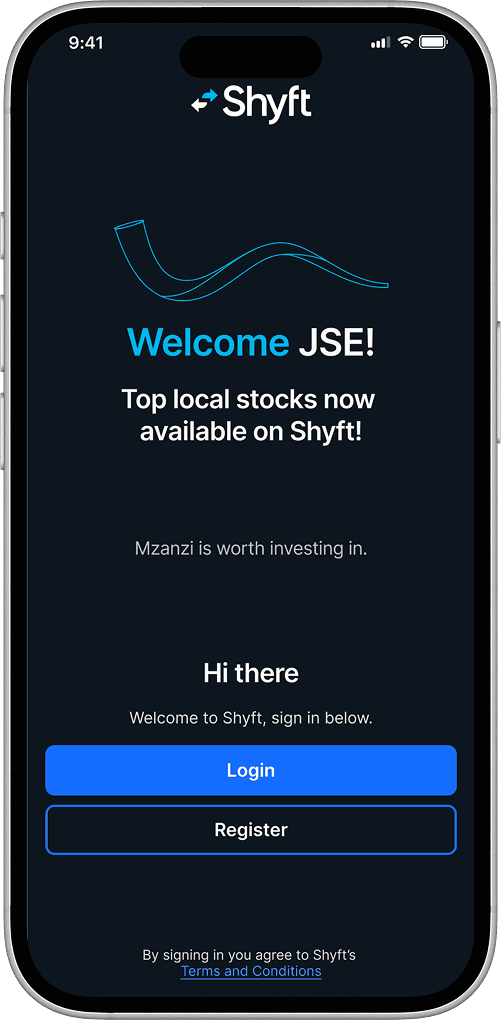
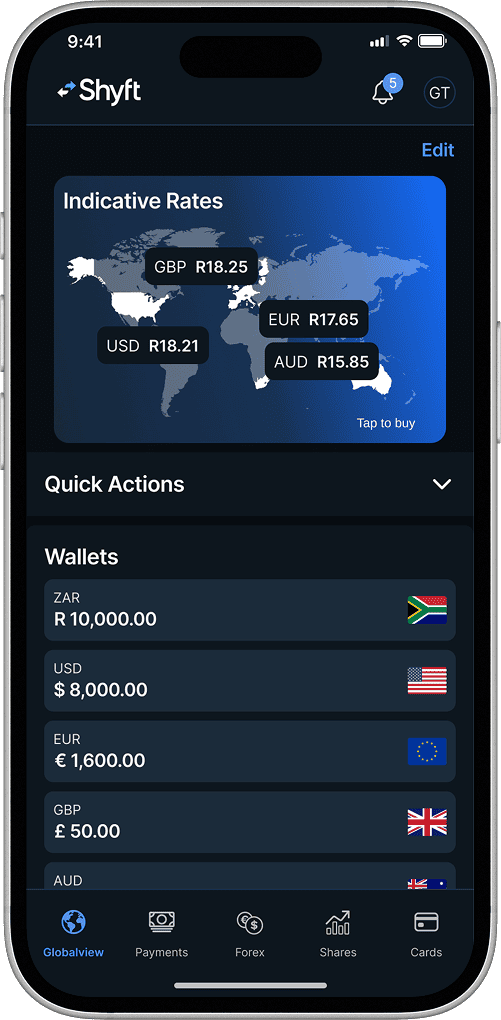
Log into your Shyft app.
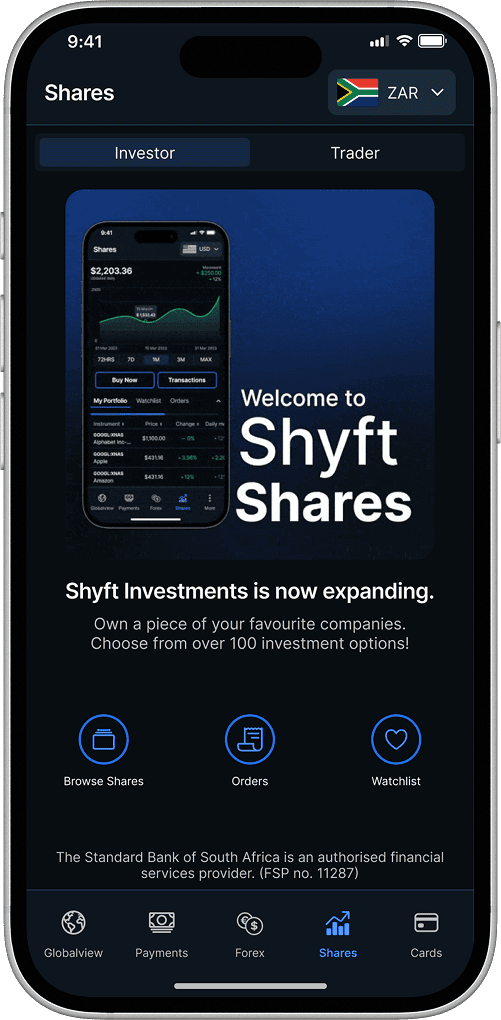
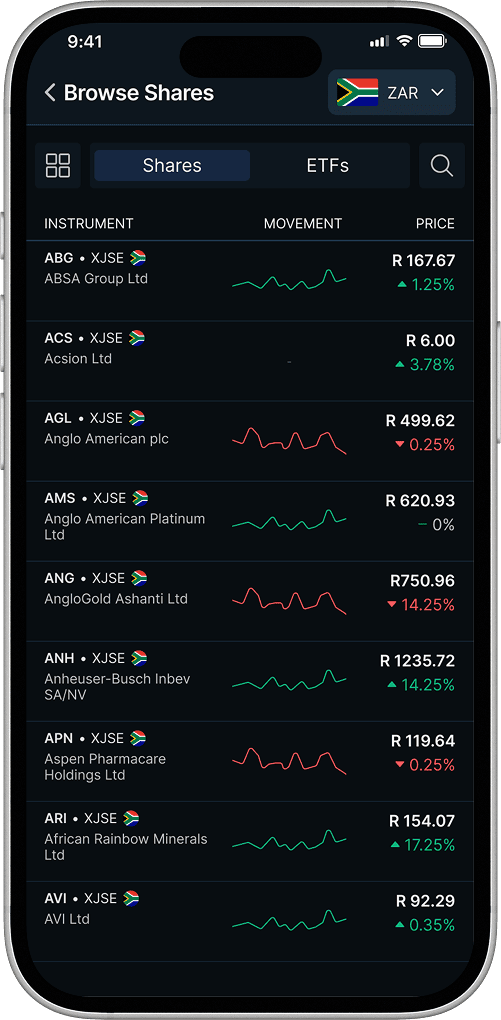
Select the Shares tab from the bottom of the home screen. Or scroll to the shares section on the Globalview page and select "Buy Now". A list of available shares and ETFs will appear.
Select the “Browse Shares” icon.
Scroll or use the search function to view your options.
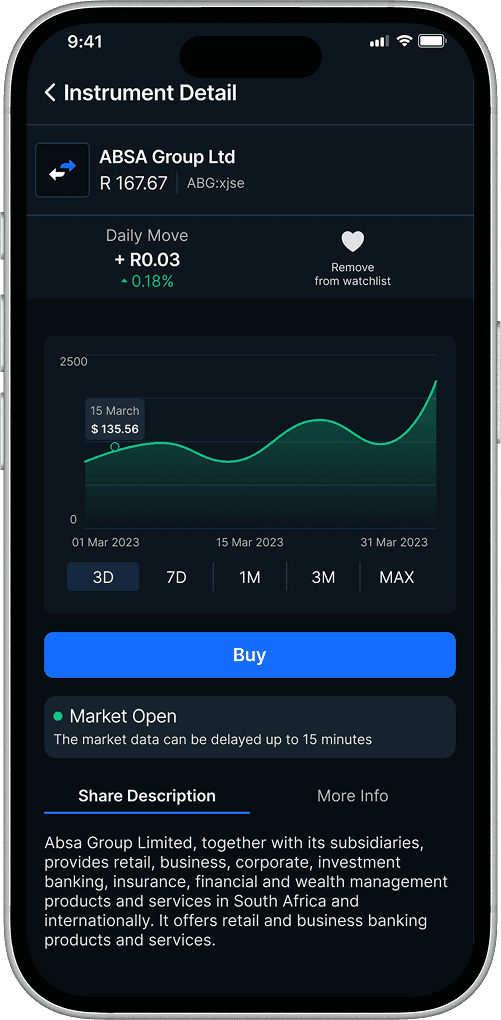
Once you have made your choice, tap on that share or ETF, then select “Buy”.
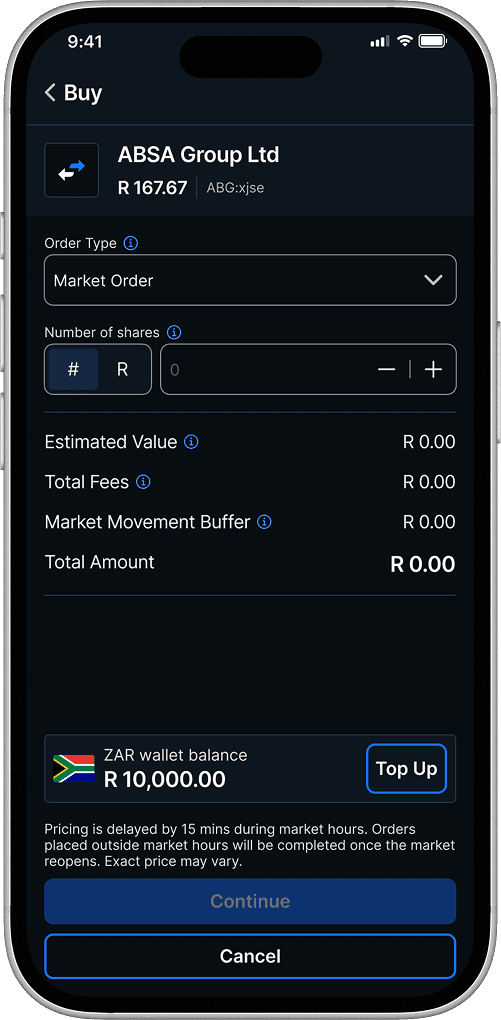
Select the number of shares you’d like to buy, then tap “Continue”.
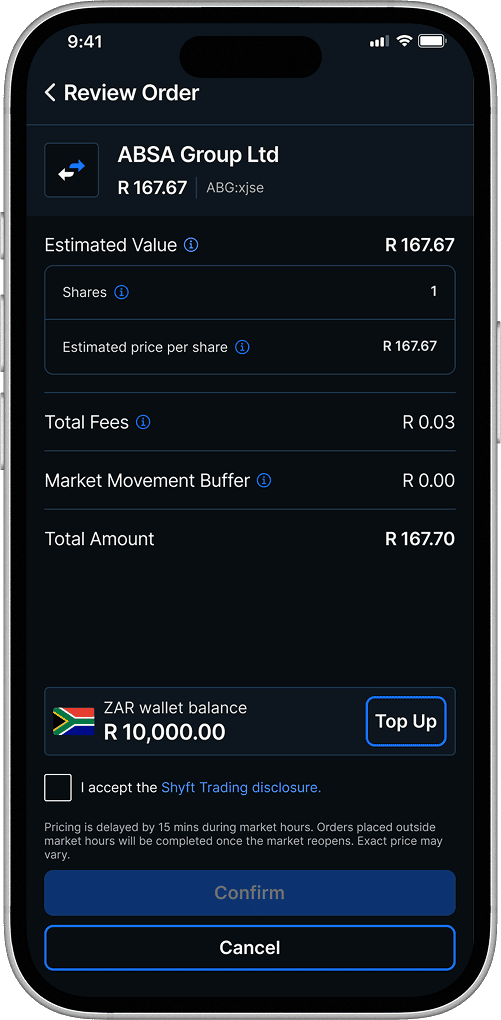
From the review screen, tick the Shyft Trading disclosure box, then tap “Confirm” to complete your purchase.
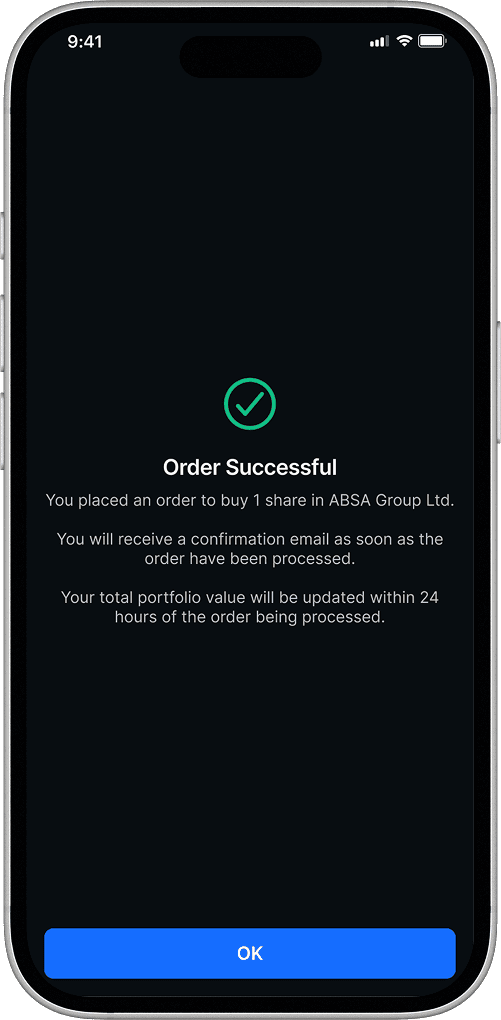
A confirmation screen will appear once your purchase is complete. Tap “Ok” to dismiss. Your portfolio will reflect your purchase.
Download ShyftLog into your Shyft app.
Select the Shares tab from the bottom of the home screen. Or scroll to the shares section on the Globalview page and select "Buy Now". A list of available shares and ETFs will appear.
Select the “Browse Shares” icon.
Scroll or use the search function to view your options.
Once you have made your choice, tap on that share or ETF, then select “Buy”.
Select the number of shares you’d like to buy, then tap “Continue”.
From the review screen, tick the Shyft Trading disclosure box, then tap “Confirm” to complete your purchase.
A confirmation screen will appear once your purchase is complete. Tap “Ok” to dismiss. Your portfolio will reflect your purchase.

Investing
26 March 2025AI investing: Nvidia, DeepSeek and beyond
The recent decline in the Nvidia share price has left many investors rethinking their approach to investing in artificial intelligence (AI). However, we should view this in context. Competition, like that posed by DeepSeek, is inevitable. The AI market is also far more significant than just Nvidia. The buoyant AI market has also been justified by high earnings, unlike the tech market in 1999 when the dotcom crash hit.

Investing
25 September 2023Cheat sheet: 16 investment terms to learn now
Becoming an investor means being confronted with a lot of new – and often confusing – terms. We’ve got you. From bear hugs and dividends to market cap and stock splits, we’ve compiled a cheat sheet so you know what’s going on with the companies you’ve invested in.

Investing
01 April 2025Mzansi is worth investing in. Now, you can!
This just in! Shyft expands its offering by adding South African shares and ETFs from the Johannesburg Stock Exchange. Discover how this change grants you access to iconic companies, allowing you to grow wealth by seamlessly combining local and international portfolios in one app. PLUS: For the month of April, no commission fee applies on all JSE trades!*
How to sell your Shyft Shares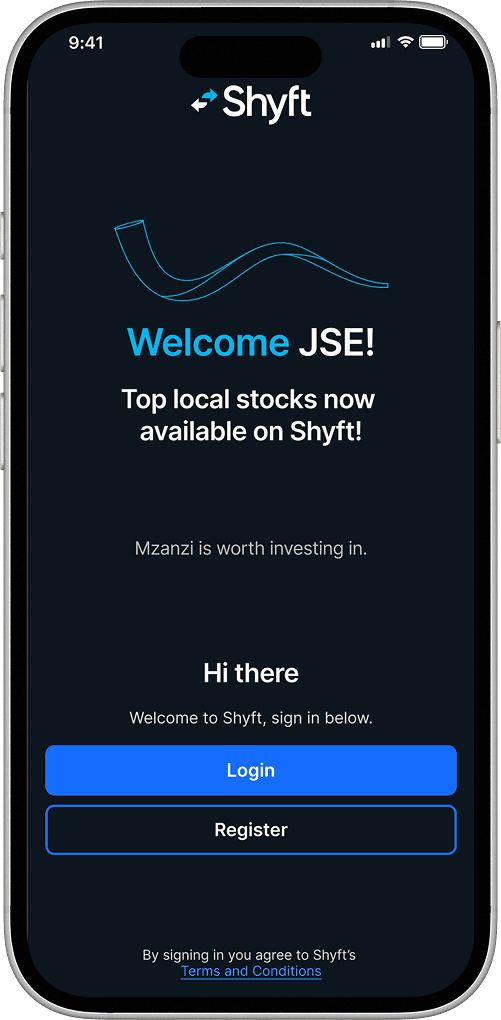
Log into your Shyft app.
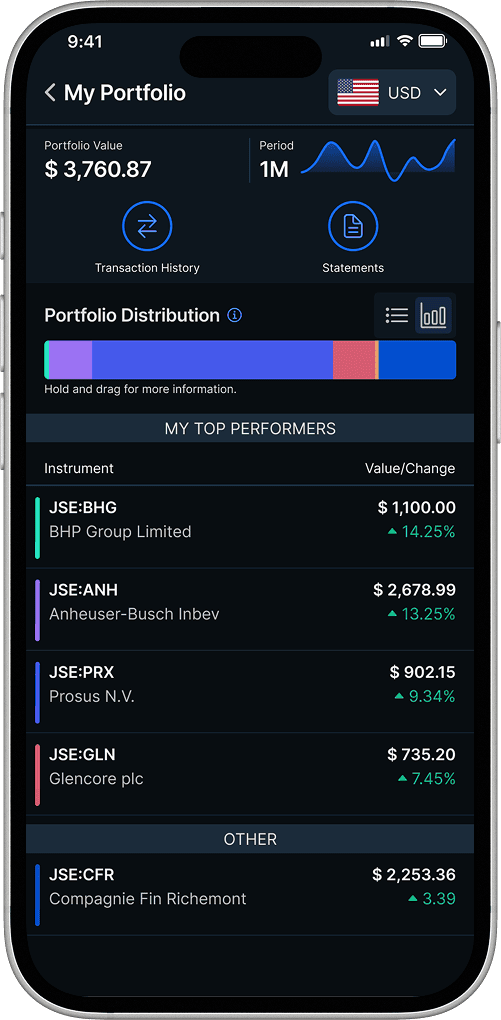
Select the Shares tab from the bottom of the home screen. Tap “My Portfolio”.
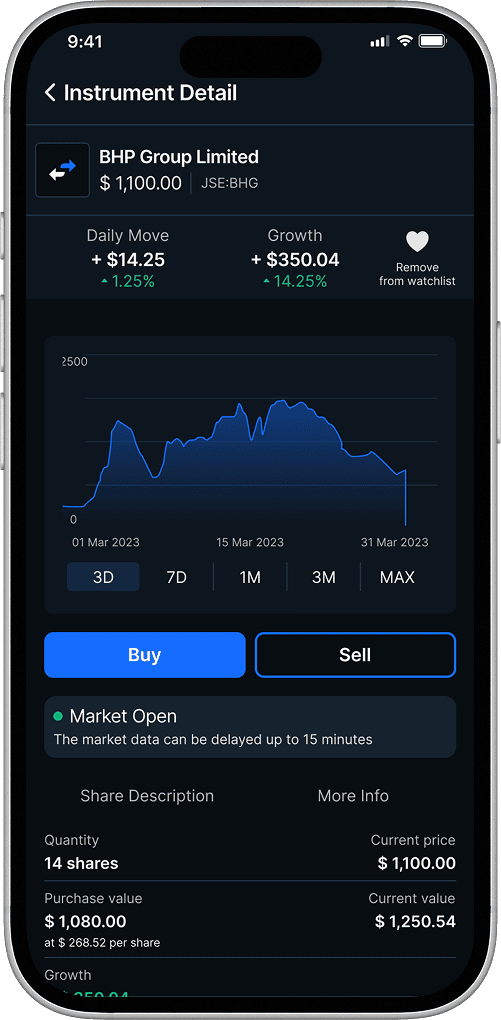
Tap the shares you want to sell. You will see a screen detailing the shares’ performance. Tap the “Sell” button.
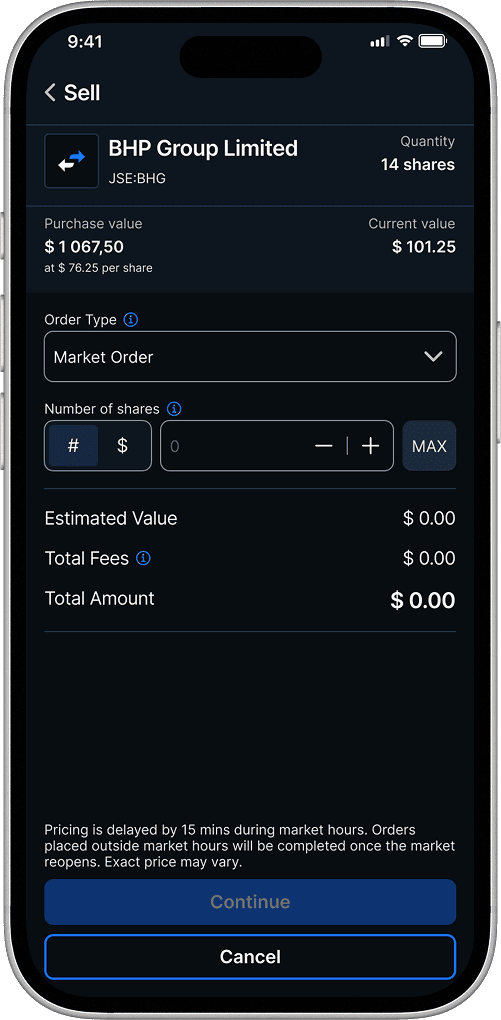
Select the number of shares you want to sell, then tap “Continue".
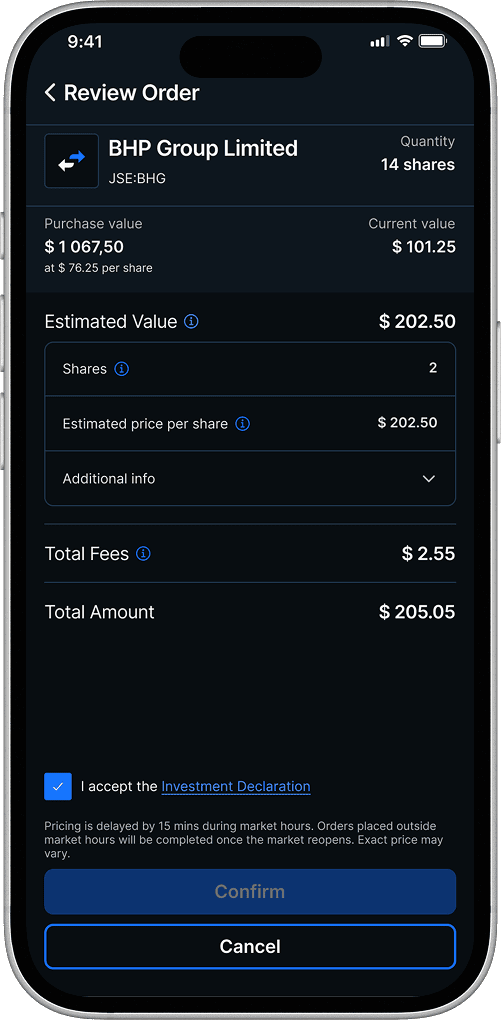
From the review screen, tick the Investment Declaration box, then tap “Confirm” to complete your sell order.
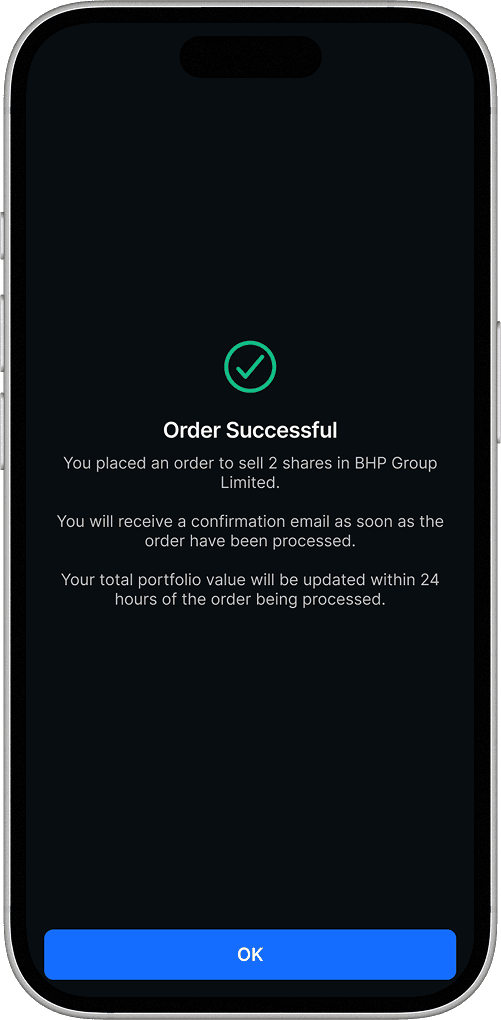
A confirmation screen will appear once the sale is complete. Tap “OK” to dismiss.
Download ShyftLog into your Shyft app.
Select the Shares tab from the bottom of the home screen. Tap “My Portfolio”.
Tap the shares you want to sell. You will see a screen detailing the shares’ performance. Tap the “Sell” button.
Select the number of shares you want to sell, then tap “Continue".
From the review screen, tick the Investment Declaration box, then tap “Confirm” to complete your sell order.
A confirmation screen will appear once the sale is complete. Tap “OK” to dismiss.

How do I trade shares outside of US market operating hours?
Easy! Simply buy or sell shares and ETFs using the same method you do during operating hours.
Your order will remain pending until the market reopens. Prices displayed when the markets are closed are projections. Pending shares will be processed at the market-open price.
Download ShyftEasy! Simply buy or sell shares and ETFs using the same method you do during operating hours.
Your order will remain pending until the market reopens. Prices displayed when the markets are closed are projections. Pending shares will be processed at the market-open price.
Frequently asked questionsView all
The Internal Revenue Service (IRS), the United States tax agency, requires a W-8BEN form for reporting purposes. It is required as you are trading in American-based shares. Shyft submits this information on your behalf.
Yes, you can! Your order will remain pending until the market reopens. Prices displayed when the markets are closed are projections. Pending shares will be processed at the market-open price.
Get the Shyft app today!