

Investor
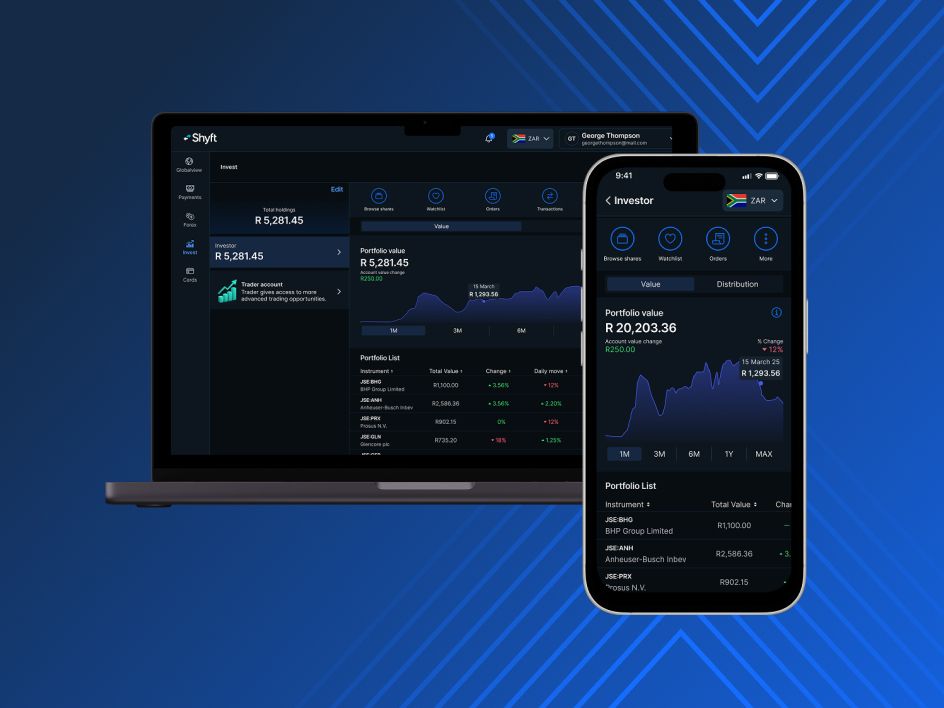
InvestorSo you’re dipping your toes into the stock market for the first time? Or maybe you’re a seasoned investor looking to level up your trading game. Either way, Shyft takes the hard work (and guesswork) out of wealth creation. Buy top global shares and ETFs all day, any day – even when the markets are closed. Download Shyft now

Benefits
money and chart iconStart as small as you need toLearning the ropes? With Shyft you can start investing in the top global stocks and ETFs.

idea iconInstant funding and withdrawalsTop up your USD, GBP or EUR wallets instantly.

app screen iconEarn daily interestEarn in the Shyft (ZAR) Vault while you wait to invest in the market.

world iconSimplicity across devicesA clean, intuitive interface that focuses on essential information.


Lady looking at her phone
Invest in the world’s Top companiesInvestor offers a simple way to build and manage your portfolio across local and international markets. Invest in shares and Exchange Traded Funds (ETFs) listed on the JSE, Nasdaq, NYSE, LSE and Frankfurt Stock Exchange. Plus, instant funding means you can act when markets move and take advantage of investment opportunities as they arise.

lady in wearing a purple blazer looking at her phone
Features and ToolsAccess multi-currency wallets to hold and manage different currencies. Earn interest linked to money market rates on available cash in your ZAR Vault and UCount Rewards Points on qualifying trades. With Investor, place orders any time, even when markets are closed, create watchlists and use limit orders to help manage your investments.

Men on bicycle looking at his phone
Platform security and supportTwo‑factor authentication, secure account access, and robust safety controls give you confidence to trade, invest, and move money securely. Bank‑grade security and trusted protection. Access responsive support via in-app live chat or email.

How to buy shares and ETFs using Shyft
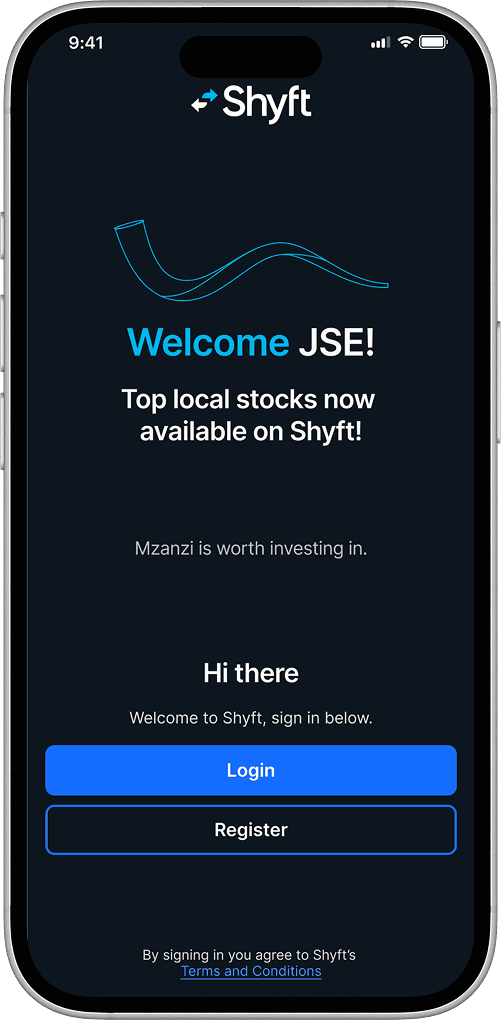
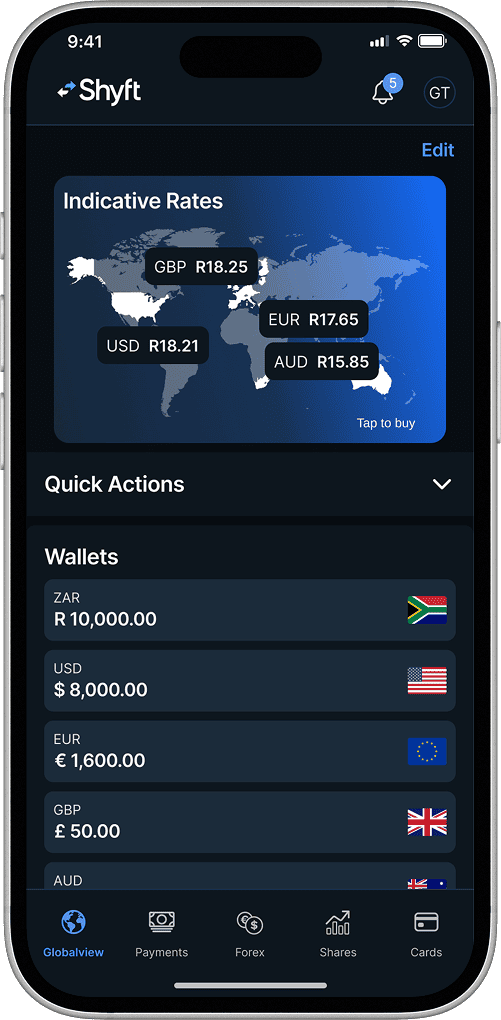
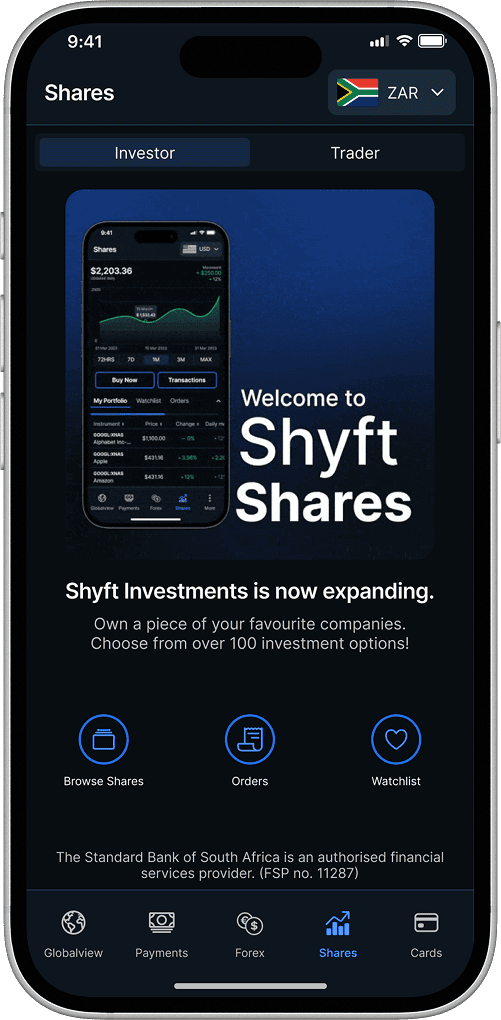
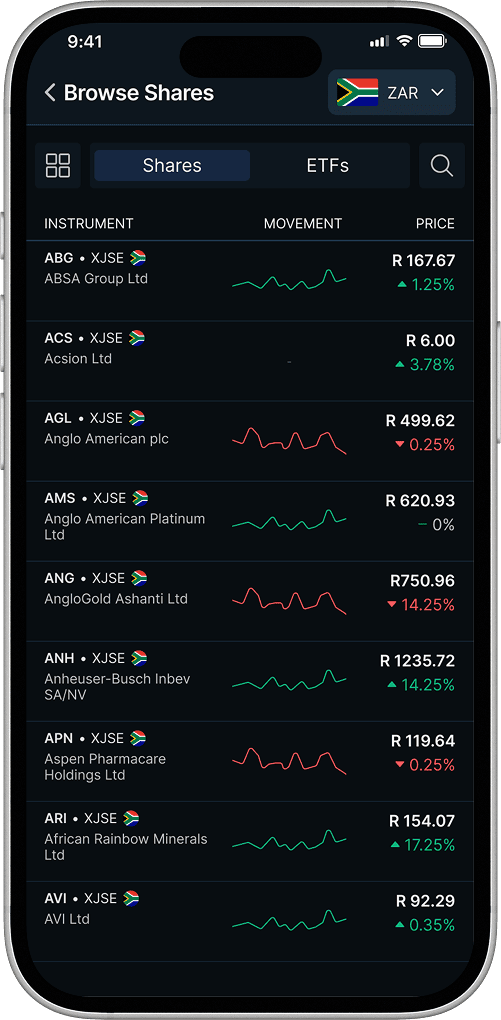
Sign in screenGlobalview screenShares tab screenBrowse Shares screenBuy screenNumber of shares screenOrder confirmation screenOrder success screen
Log into your Shyft app.
Select the Shares tab from the bottom of the home screen. Or scroll to the shares section on the Globalview page and select "Buy Now". A list of available shares and ETFs will appear.
Select the “Browse Shares” icon.
Scroll or use the search function to view your options.
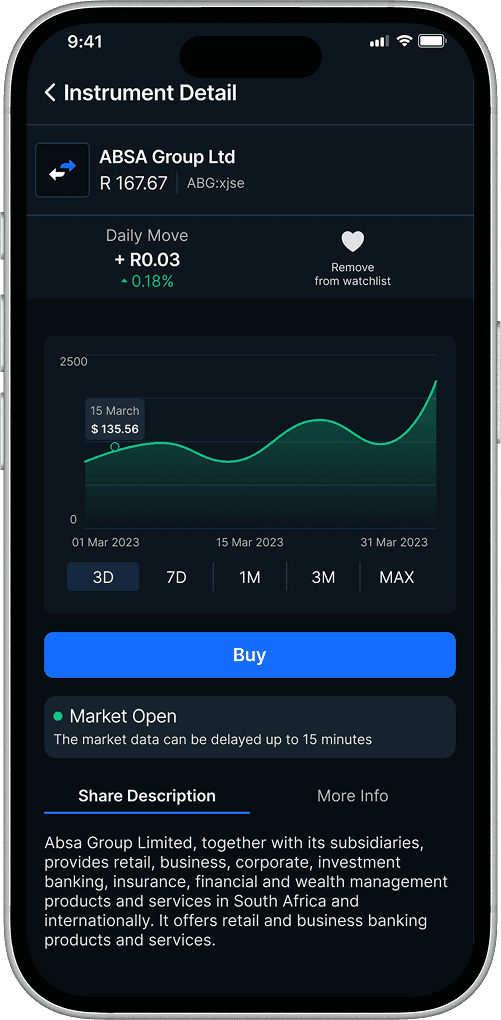
Once you have made your choice, tap on that share or ETF, then select “Buy”.
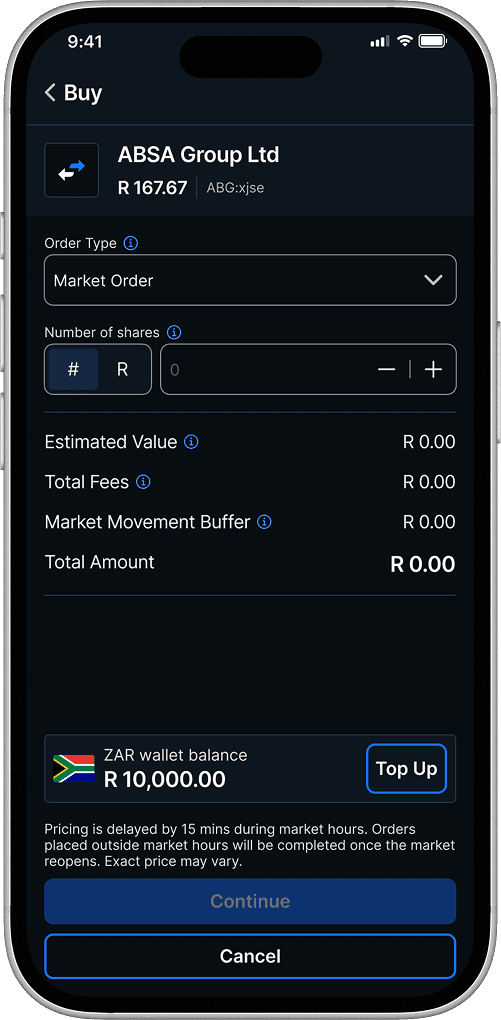
Select the number of shares you’d like to buy, then tap “Continue”.
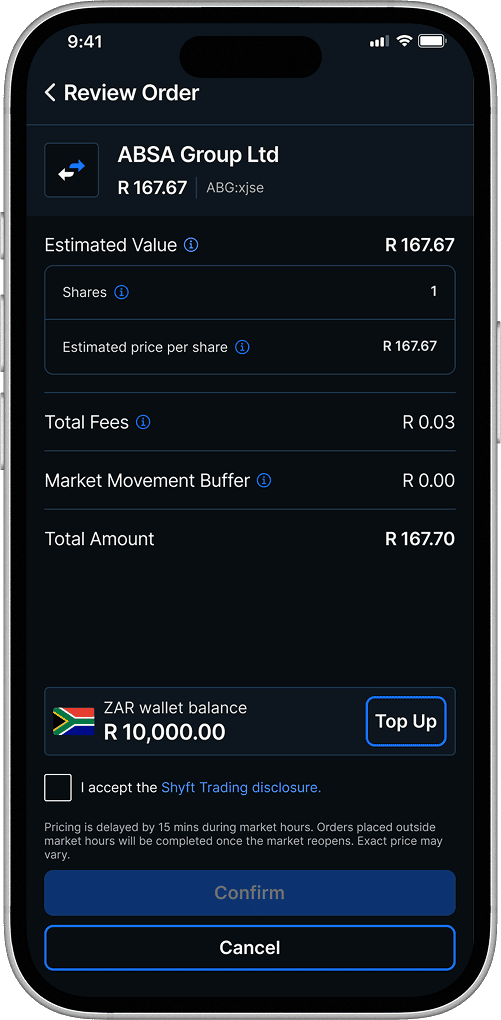
From the review screen, tick the Shyft Trading disclosure box, then tap “Confirm” to complete your purchase.
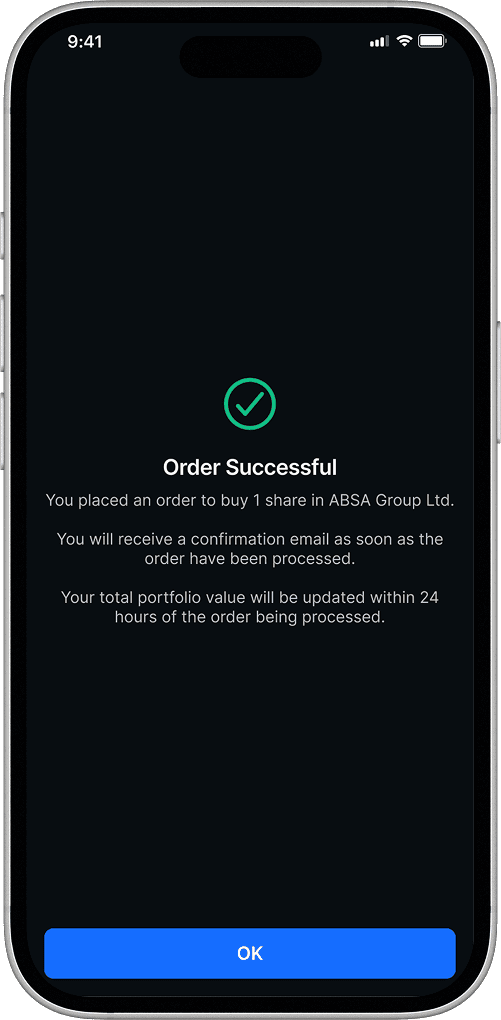
A confirmation screen will appear once your purchase is complete. Tap “Ok” to dismiss. Your portfolio will reflect your purchase.
Download Shyft
Sign in screenGlobalview screenShares tab screenBrowse Shares screenBuy screenNumber of shares screenOrder confirmation screenOrder success screen
Log into your Shyft app.
Select the Shares tab from the bottom of the home screen. Or scroll to the shares section on the Globalview page and select "Buy Now". A list of available shares and ETFs will appear.
Select the “Browse Shares” icon.
Scroll or use the search function to view your options.
Once you have made your choice, tap on that share or ETF, then select “Buy”.
Select the number of shares you’d like to buy, then tap “Continue”.
From the review screen, tick the Shyft Trading disclosure box, then tap “Confirm” to complete your purchase.
A confirmation screen will appear once your purchase is complete. Tap “Ok” to dismiss. Your portfolio will reflect your purchase.

Learn more
ETFs, swimmer, investing
Investing
03 September 2025ETF investing: A starter’s guide
ETFs (exchange-traded funds) are powerful yet simple investment tools that make diversification, transparency, and cost-effective investing easy for beginners and professionals alike. Discover how ETFs work, their history, benefits, and growth in South Africa, and learn how you can invest in them with Shyft.
Investing
24 April 2024How to choose companies to invest in
There are a few things to think about when choosing stocks to invest in. Rather than making it a guessing game, here’s what you should keep in mind.
Lady looking at tablet
Investing
30 July 2026Investor vs Trader
Shyft offers two investing and trading features, depending on your needs. With both you will receive the cheapest forex, fast funding, and access to your investments anytime, on any device.
Find out more

FAQs

Fees are charged at a minimum of 0,4% (excl. VAT), with a minimum transaction fee, depending on the currency of the stock purchased:

USD Trading Fees are charged at 0,4% (excl. VAT), with a minimum transaction fee of $1.99 (incl. VAT).

GBP Trading Fees are charged at 0,4% (excl. VAT), with a minimum transaction fee of £2.49 (incl. VAT).

EUR Trading Fees are charged at 0,4% (excl. VAT), with a minimum transaction fee of €2.49 (incl. VAT).

You may add funds to your Shyft account with ZAR/BWP by completing an electronic funds transfer from any local bank account to your Shyft local currency wallet.

To add Shyft as a beneficiary, you must use the banking details of your local currency wallet found in the app.

Please ensure to use your unique Shyft reference code as the beneficiary reference.

SA residents can also use the “Pay by Card” option in the app by entering their bank card details, funds reflect immediately once successful.

No, as per the pricing delay, the prices shown are delayed by 15 minutes.

View all

Copyright © 2025 Shyft operates under the license of The Standard Bank of South Africa Limited. (''Standard Bank''), an authorised Financial Services Provider (FSP number 11287).

Download the Shyft app now!
Get more for less, with Shyft. One app, unrivalled access to investments, the cheapest forex, global payments, and travel and shopping solutions – no matter who you bank with.
google play app logohuawei app logoapple app store logo