

In this Quick Start Guide, we'll introduce you to Trader on Shyft and show you how to navigate the platform, fund your account, place trades, and manage your portfolio with confidence.
What is Trader?
Trader is built for those who value speed, control and the ability to act decisively across global markets.
As Shyft's advanced trading platform, Trader gives experienced investors and active traders access to multiple asset classes, currencies and international markets through professional-grade trading tools, live pricing, advanced charting, sophisticated order types and real-time market data.
Watch this short video to get an overall overview of what Trader offers: Trader demo video
How to view your portfolio, cash and positions
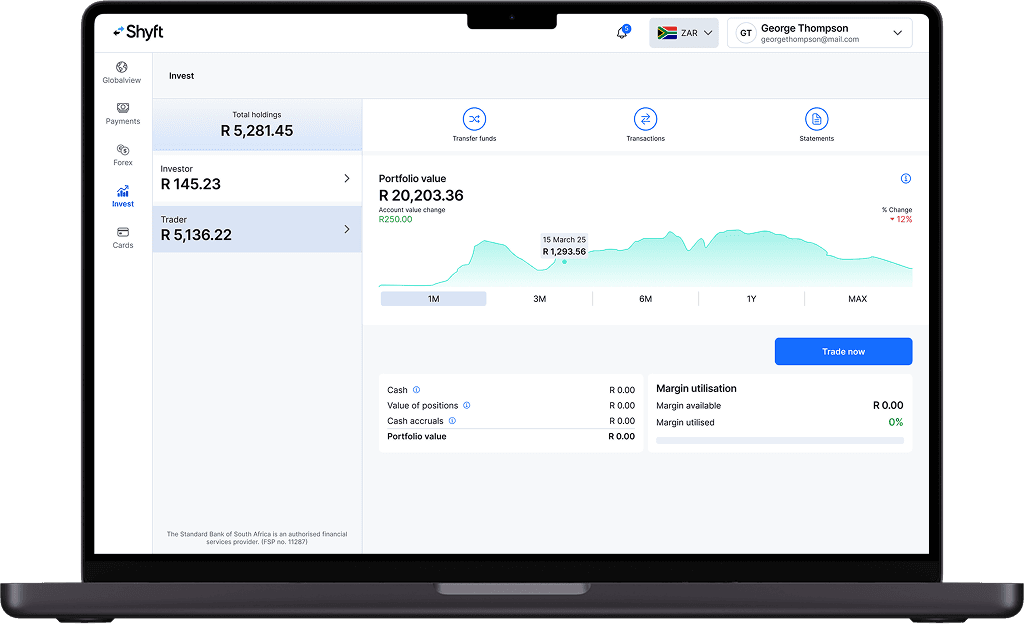
To view your portfolio, select the ‘Invest’ tab from the right-hand menu side bar and select your ‘Trader account’, an overview of your portfolio will appear. To view your full portfolio performance report, select ‘Trade now’ and navigate to ‘Portfolio’.
Cash and positions are available at any time from the ‘Statements’ and ‘Transaction’ option in the ‘Trader account’ overview page.
How to fund your trading account?
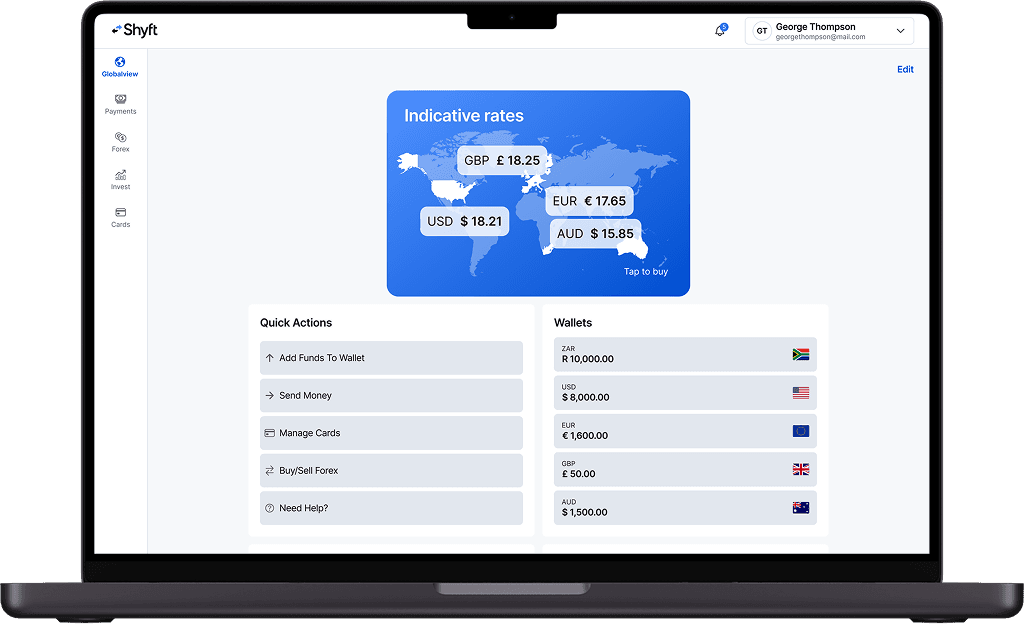
You can fund your trading account easily through the Shyft app or Shyft web portal by following the steps below:
Log into the Shyft app or Shyft web portal.
From ‘Quick Actions’, select ‘Add Funds to Wallet’. Or select the 'Wallet' which you want to fund.
Make sure you’re in the ZAR section by selecting the ZAR flag from the currency selector in the top right-hand corner once you have selected.
Select if you would like to top up via card or manual EFT.
If you choose 'Card'. Enter the amount you want to top up with, and tap 'Continue', then enter your card details and authenticate with your bank. Funds will reflect immediately, regardless of your banking provider.
If you choose 'Manual EFT'. Use the details provided to send funds from your bank account to your Shyft wallet. Ensure you use your unique Shyft reference number as the payment reference when making an EFT.
Once your ZAR wallet is topped up you will be able to move funds instantly to your other relevant wallets in order to trade in the different exchanges across asset classes.
Your Trader account can be funded directly from the relevant wallet by selecting transfer funds from within the relevant Trading account overview screen.
How to place your first trade?
Trader offers both traditional and leveraged global products. The following two short video’s show how to navigate to those products on the Trader platforms:
Once you have decided on which instrument to invest or trade in, this short video will show you How to place your first trade
or follow the below steps:
Log into your Shyft app or Shyft web portal, navigate to ‘Invest’ and select your Trader account, click ‘Trade now’.
Find the Instrument: use the instrument search bar at the top of the platform to find the Share, ETF, or other instrument by name, or ticker.
Select the instrument to load the detail page and click on the trade button to open the trade ticket.
Populate the order ticket.
Submit order: please check the details, including potential fees, and click place order to execute.
How to track orders, transactions and statements?
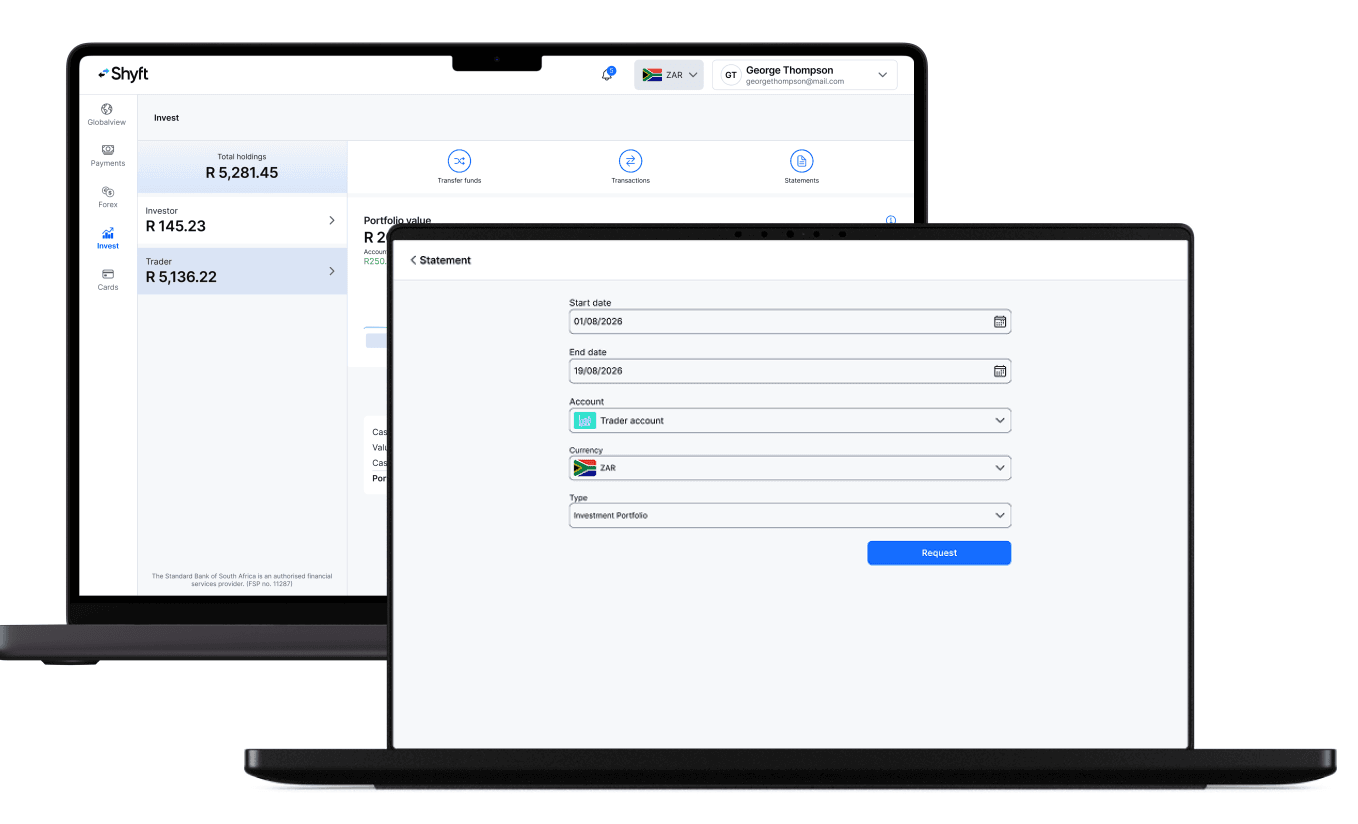
Orders, account statement and trades executed are available at any time from the Statements option in your ‘Trader account’ within ‘Transactions’ and ‘Statements’.