
 Competitive pricingLow minimums, tiered pricing and the cheapest forex rates
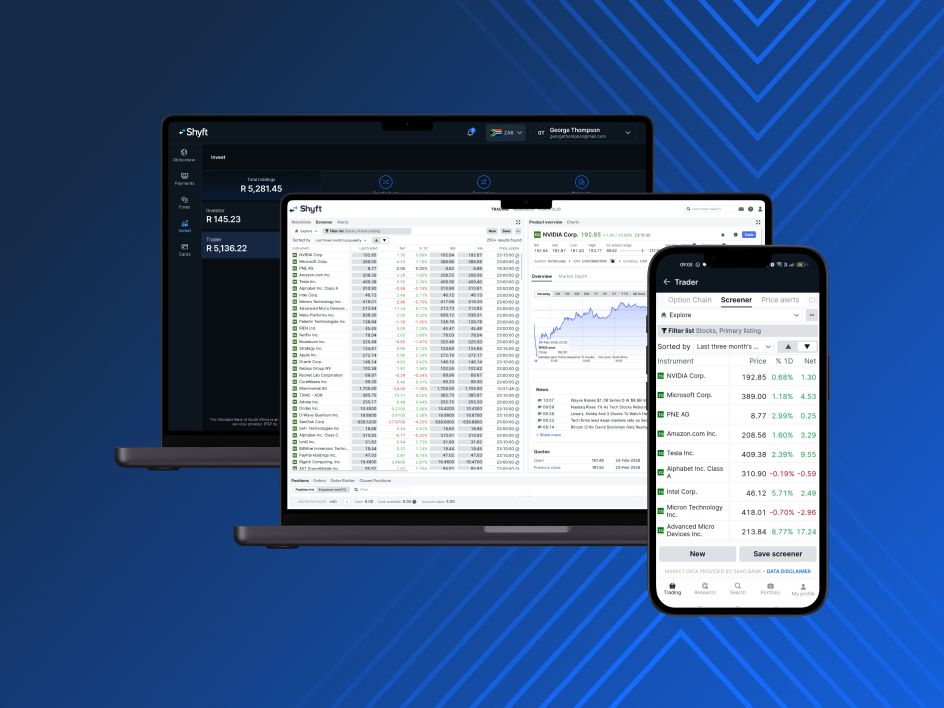
 Seamless multi-device experienceA consistent and powerful experience whether you're trading on your desktop or on the go via the mobile app
 Instant money movementConvert currencies instantly and move seamlessly between FX, instant funding, trading and payments, all in one platform
 Access to live pricingBetter execution, fewer surprises, more control and clarity over your trades



All fees and charges related to trading and investing on the platform are clearly listed in the platform. This includes costs for shares, ETFs, CFDs, commodity ETCs, FX crosses, and mutual funds.
You can also view our general fees on the Help page of our website.
First top up your corresponding Shyft currency wallet.
Open your Trader account and select Transfer Funds. Transfer funds from your Shyft wallet into your chosen trading currency account.
From your Trader account, select Transfer, choose your wallet, and enter the amount.
Transfers reflect instantly in your Shyft Wallet once successful.




Copyright © 2025 Shyft operates under the license of The Standard Bank of South Africa Limited. (''Standard Bank''), an authorised Financial Services Provider (FSP number 11287).